Occupant app guide
Interaction history
Every visit, recorded with its time, purpose, and outcome — so 'someone came by yesterday' is never a mystery.
What History shows
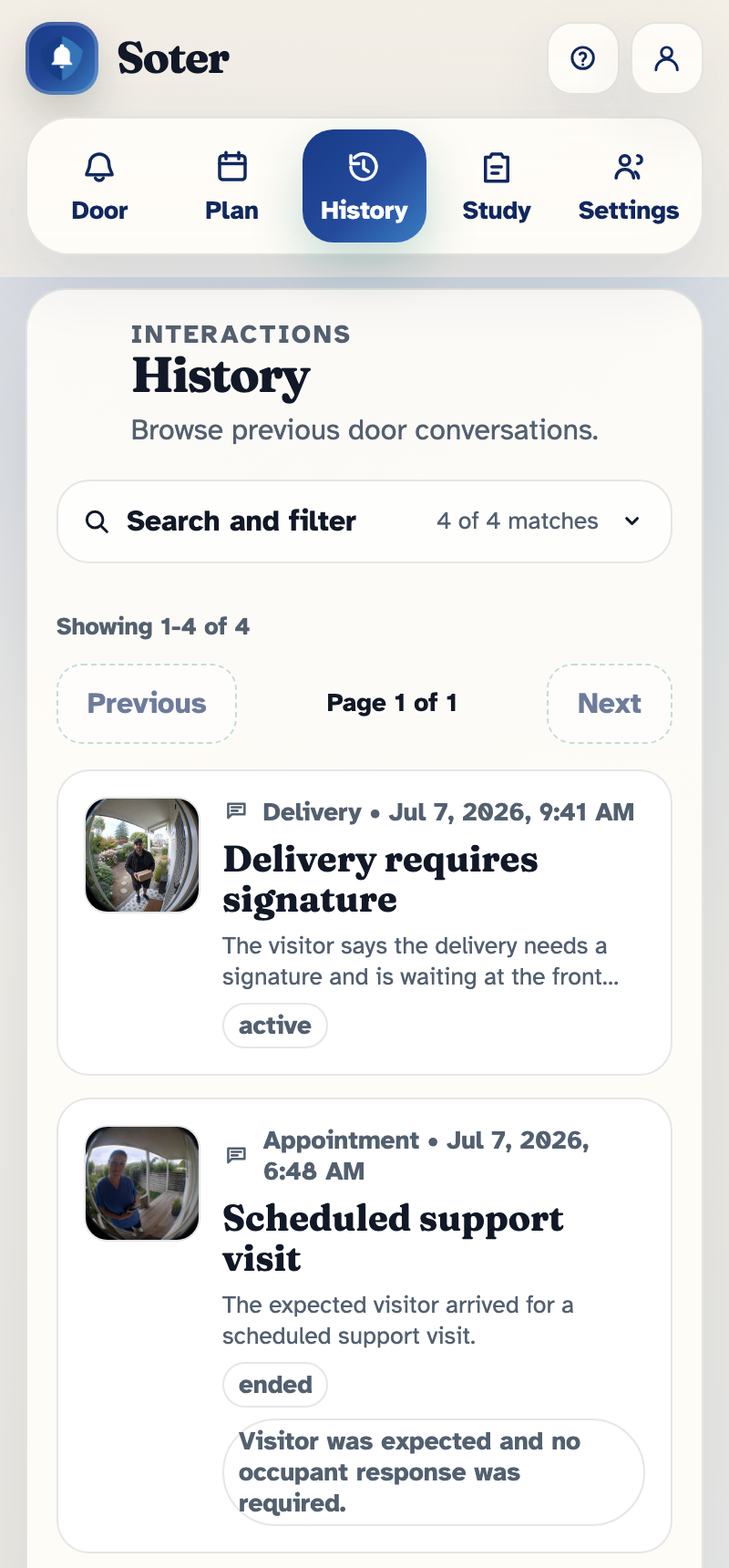
The History tab lists every doorstep interaction, newest first: deliveries left safely, the neighbour who dropped in, the cold caller who was politely declined, all with the date and time. Door-sensor events, usually marking people leaving the property, are also logged.
Inside an entry
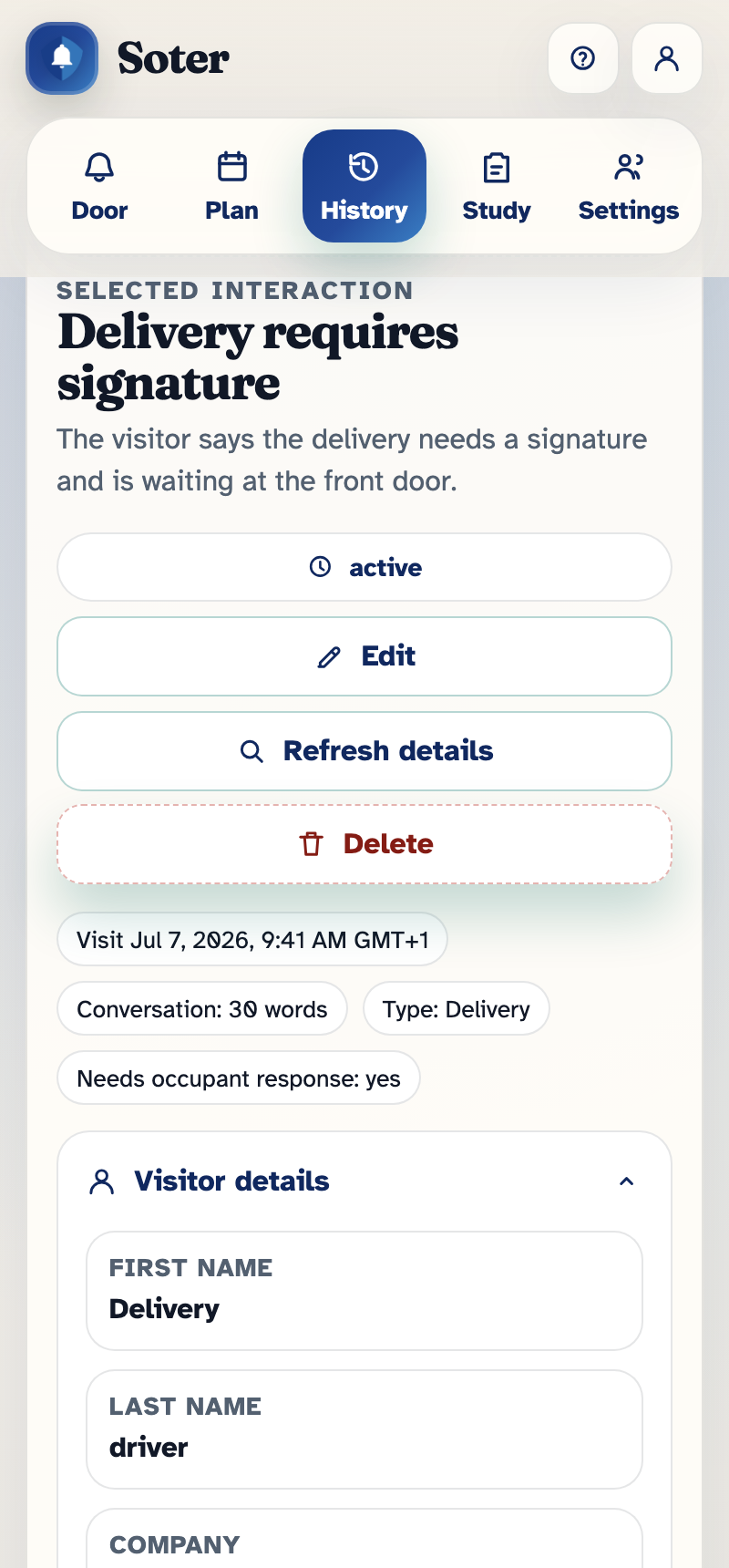
Open an entry to see the detail:
- The conversation — a transcript of what the visitor and Soter said to each other.
- Photos or a scene description — depending on the household's capture settings, an entry may include selected photos from the visit, a short written description of the scene, or just the basic facts.
- What Soter decided — the visit type it identified, the verification result, the action it took, and who was notified.
- Your household's responses — if someone sent "Please wait" or a custom message, that appears in the timeline too.
Why some entries have more detail than others
How much is recorded is a household choice, set per visit type in the doorstep policy as the capture level — from metadata only (just the time and outcome) through text transcript up to standard (metadata, transcript, and selected images or a scene summary). If an entry seems sparse, that's the policy working as configured, or maybe the visitor didn't engage with Soter.
How long entries are kept is also a policy setting (retention) — see the same chapter.
Finding things
Use the search box and filters to narrow the list by words in the title or transcript, by date, or by visit type. This is the quickest way to answer questions like "did the pharmacy come this week?" or "how often is that salesman calling?"
Who can see History
Only accounts with Can see interaction history get this tab. Households can use this to give a remote relative full visibility while a more casual contact only receives alerts — see App access.